
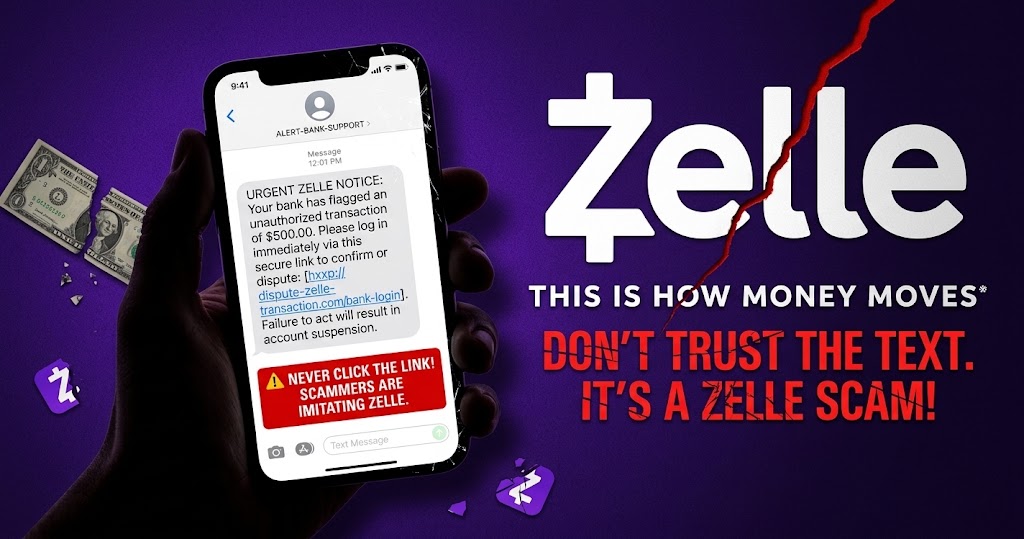
A Zelle scam text is a fraudulent message designed to make you reveal sensitive information, send money, or visit a fake website. These messages may appear to come from Zelle support, your bank, or someone claiming that a suspicious payment has occurred. To pressure you into acting quickly, scammers often claim that your account is locked or that someone is about to take your money.
If you receive a suspicious message, avoid clicking its links or calling the number it provides. Instead, open your bank’s official app or contact the bank using a verified phone number.
How a Zelle Scam Text Works
Scammers use text messages to create a problem that appears to require immediate action. They may direct you to a fraudulent website, ask you to share a security code, or call you while pretending to represent your bank.
A typical Zelle scam text may claim that a payment is pending, your account needs verification, or someone has attempted to access your money. The message then encourages you to follow a link or call a number to resolve the supposed problem.
However, the link may lead to a fake login page designed to steal your banking details. A follow-up phone call can also be part of the same scheme.
Zelle provides guidance on recognising phishing scams. If you receive an unexpected message, verify the claim through your bank’s official channels instead of following the sender’s instructions.
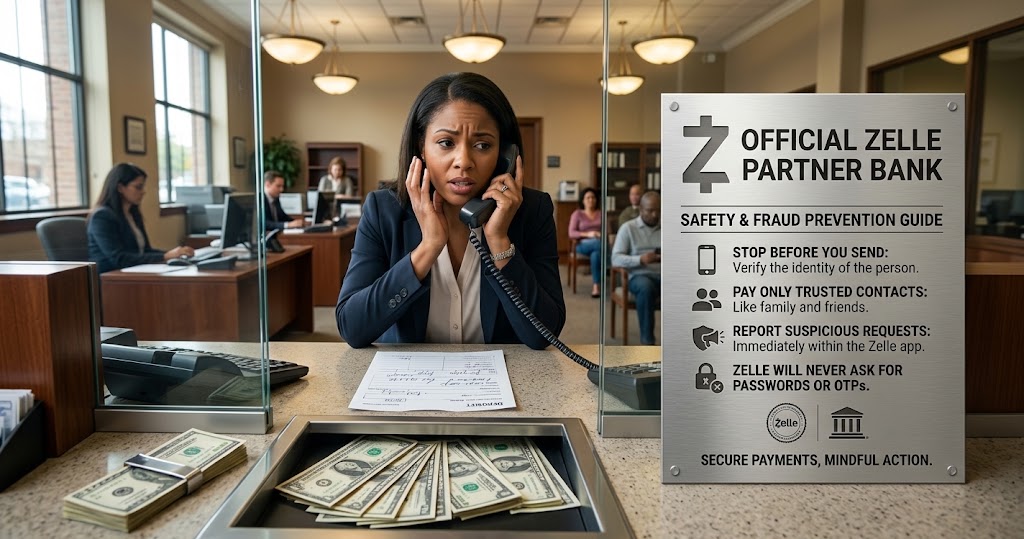
Common Types of Zelle Text Message Scams
Understanding the different types of Zelle scams can help you recognise suspicious messages before you lose money.
1. Fake Suspicious Payment Alerts
A scammer may send a Zelle scam text claiming that someone has sent money from your account or that a payment needs your approval.
The message may contain a link to cancel the transaction or secure your account. Unfortunately, that link could open a fraudulent website that collects your login details.
What to do: Open your bank’s app independently and review your transaction history. Do not rely on a text message or screenshot as proof that a payment occurred.
2. Fake Account Lock Messages
Another Zelle scam text may claim that your account has been suspended or restricted. The sender may ask you to verify your identity, update your account information, or provide a one-time security code.
These requests can expose your account to unauthorised access.
What to do: Contact your bank through its official support channels. Never disclose your password, PIN, or one-time verification code to an unexpected caller.
3. The Zelle Pay-Yourself Scam
In a pay-yourself scam, someone impersonating your bank claims that your account has been compromised. The caller may instruct you to transfer money to yourself or follow steps to reverse a supposedly fraudulent payment.
The caller might even make the call appear to come from your bank’s legitimate telephone number. However, caller ID alone cannot prove that the person is genuine.
A scammer may ask you to read out a security code or approve a transfer. Following those instructions could allow the scammer to gain access to your account or redirect your money.
Read Zelle’s official guide to spotting a pay-yourself scam.
What to do: End the call and contact your bank using a verified number. Never transfer money to a different recipient because an unexpected caller claims that doing so will protect your funds.
4. Fake Payment Reversal Requests
A scammer may claim that someone sent money by mistake and ask you to return it. Alternatively, the person may tell you to make another transfer to reverse a transaction.
Sending a separate payment does not automatically cancel the original transfer. You could lose additional money if you follow the instructions.
What to do: Review the transaction through your bank and ask its official support team how to handle the situation. Do not send a new payment simply because a stranger demands a refund.
How to Recognise a Fake Zelle Scam Text
A suspicious message may look professional, use your bank’s name, or include details that make it appear genuine. Therefore, pay attention to what the sender asks you to do rather than relying on the message’s appearance.
Watch for these warning signs:
- Urgent instructions: The sender pressures you to act immediately to prevent an alleged financial loss.
- Suspicious links: The message directs you to an unfamiliar website or a shortened URL.
- Requests for security codes: The sender asks you to disclose a one-time passcode, PIN, or password.
- Unexpected payment claims: The message says money has moved, but you cannot confirm the transaction through your bank.
- Instructions to move money: Someone tells you to transfer funds to yourself or a supposed safe account.
- Unverified phone calls: A caller claims to represent your bank and requests unusual payment instructions.
- Pressure to avoid official support: The person tells you not to contact your bank or discuss the transaction with anyone else.
If a message raises concerns, stop and verify the claim independently before taking action.
What to Do After Receiving a Zelle Scam Text
Receiving a suspicious message does not automatically mean you have lost money. Your next steps depend on whether you clicked a link, shared information, or authorised a payment.
1. Do Not Reply or Click Suspicious Links
Avoid replying to unexpected messages or opening their links. Responding may confirm that your phone number is active.
Instead, open your bank’s official app or contact the bank directly to check any payment claims.
In the United States, many mobile carriers allow
